How to use Amap in China

A navigation option for exploring Chinese cities. Save the Chinese names and addresses of places you plan to visit.
高德地图 · Navigation · Content reviewed 12 November 2026
Before you start
- Update Amap and check its language options before the trip.
- Keep each hotel’s Chinese name, full address and branch from your booking.
Step-by-step guide
Choose language and search
Open the language options if needed. Search your destination; if the result is unclear, paste its Chinese name and street address.
Look for: Search / 搜索
Confirm the exact place
Compare the district, branch and building number with your booking. Check the entrance, not just the approximate map pin.
Look for: Place details
Select your travel mode
Choose walking or public transport as appropriate. Check the first leg, station entrances/exits and arrival time. A driving route is not a walking route.
Look for: Directions / 路线
Keep a way back
Save your hotel if your account permits. Also keep an image or note of the Chinese address on your phone.
Look for: Save / Address backup
Tips and common problems
Old advice says there is no English
Shanghai’s government reported multilingual Amap services in 2025 and 2026. Check the current app language settings rather than following an old Chinese-only tutorial.
The English name finds the wrong branch
Paste the booking’s Chinese name and full street address. Compare district and building number. Similar names can be far apart.
The pin is close, but you cannot enter
Compare the route’s endpoint with the building entrance or station exit shown on signs. Do not assume a nearby pin identifies a usable entrance.
Save or booking asks you to sign in
Navigation and connected services can have different account requirements. Keep an address screenshot as backup; use the original booking platform for tickets if a map-linked flow blocks you.
Live directions need a connection
An address screenshot is an offline reference, not current routing. Keep the destination and a nearby landmark readable without a network.
Screenshot references
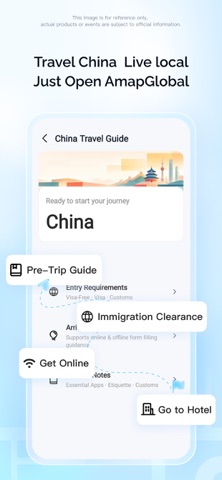
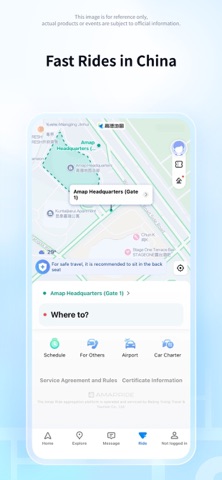
These App Store previews show the app in general. Use the steps above for the specific controls to look for.

Get the app
Amap on the App Store ↗Sources and review
Checked 12 November 2026. Older references are labelled; current in-app terms apply. Community images illustrate an earlier interface, not verified current controls.
- Shanghai government: multilingual Amap services (13 Jul 2026)
- CNA: travellers describe language and app-store barriers (2026 reporting)
Questions & travel tips
Share what worked, or ask about this guide. Comments appear after review.