How to use Dianping in China

Useful for restaurant photos, branches and reviews. Much of the content may be Chinese; keep a translation option handy.
大众点评 · Food · Content reviewed 12 November 2026
Before you start
- Know your city/neighbourhood and keep a translator available.
- Separate restaurant research, a paid voucher and a table reservation.
Step-by-step guide
Choose your city or area
Check that search results are near your actual destination. Search a cuisine, dish or restaurant name.
Look for: City / Search
Compare the right branch
Look at the address, recent reviews, customer photos and price information. Avoid choosing a different branch of the same chain.
Look for: Restaurant details
Check the offer conditions
If considering a voucher, check dates, eligible branches, reservation requirements and exclusions. A voucher is not always a table reservation.
Look for: Offer details
Save the Chinese name
Copy or save the restaurant’s Chinese name and address. Confirm current hours directly if timing matters.
Look for: Address
Tips and common problems
Voucher price is not the normal menu bill
Read 使用规则 (conditions), applicable branches, dates, party size and booking requirements. Ask “这个套餐今天可以用吗?” — Can this set offer be used today?
Buying an offer does not reserve a table
Look for a separate reservation confirmation or contact the branch. Do not assume the restaurant is holding seats because you paid for a deal.
Same name, wrong branch
Copy the full Chinese branch name and address into your map. Compare recent customer photos, not only the chain’s name.
English interface, Chinese conditions
The current store listing includes English, but individual reviews, menus and offer rules can still need translation. Translate the complete conditions before purchase.
Dietary needs
Show a specific ingredient question to staff and ask them to confirm. A photo or translated dish name cannot establish preparation details.
Screenshot references
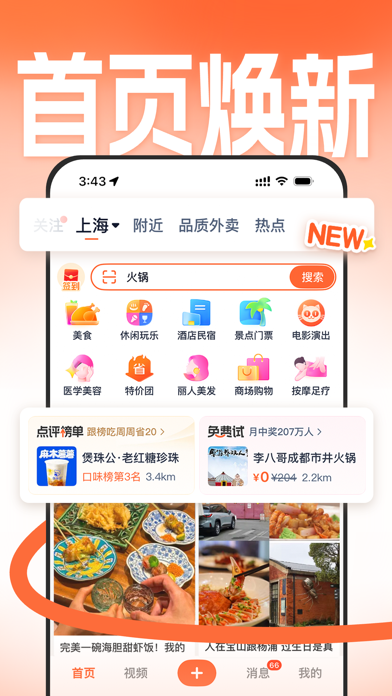
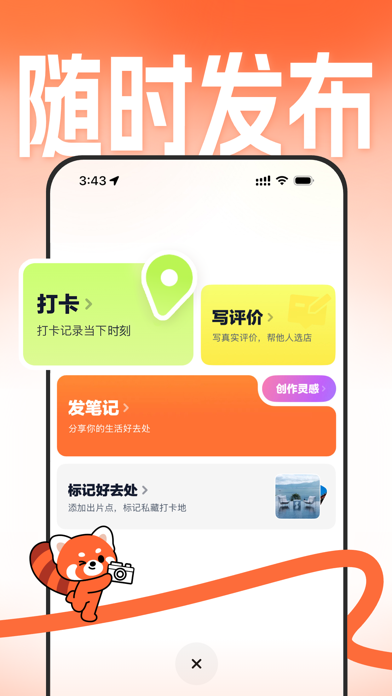
These App Store previews show the app in general. Use the steps above for the specific controls to look for.

Get the app
Dianping on the App Store ↗Sources and review
Checked 12 November 2026. Older references are labelled; current in-app terms apply. Community images illustrate an earlier interface, not verified current controls.
- Dianping official App Store listing: discovery, reviews and offers · publication date not stated
- CNA: language barriers described by visiting travellers (2026)
Questions & travel tips
Share what worked, or ask about this guide. Comments appear after review.