How to use Doubao in China

An AI assistant for explaining unfamiliar text, asking about a photo and practising short travel conversations. It needs an internet connection and is not a live booking or navigation service.
豆包 · AI help · Content reviewed 12 November 2026
Before you start
- Install only if available in your storefront, then try a sign-in method actually offered.
- Test an English question and a photo before depending on it during travel.
Step-by-step guide
Install and check access
Open the official store listing. Use a sign-in method offered in your version and complete any required phone verification. Availability depends on your storefront and account.
Look for: Sign in / 登录
Ask one clear question
Start a chat and say what you need, including your preferred answer language. Try: “Explain in English how to order at a restaurant using a QR code.”
Look for: Message / 发消息
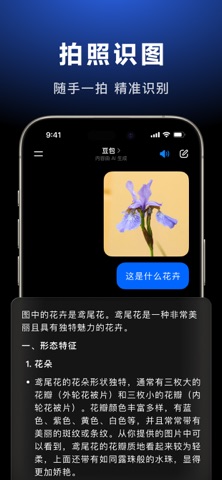
Ask about a photo
Use the photo or attachment control near the message box. Add a clear picture of a sign, menu or object, then ask a specific question about it. Exact controls vary by version.
Look for: Photo / 图片
Try this with a menu photoPlease explain this Chinese menu in English. List the dishes, prices and common ingredients. Tell me if any text is unclear.
Try a voice conversation
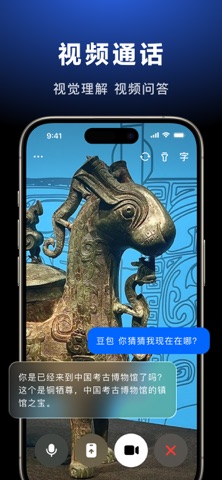
Use voice input or the voice-call control when available. Speak a short sentence and request a simple English reply or a Chinese phrase you can show someone.
Look for: Voice / 语音
Follow up and verify
If the answer is too broad, ask for just the first step. Check route details in a map and confirm bookings, hours and prices with the actual service.
Look for: Ask a follow-up
Tips and common problems
No overseas number option or SMS does not arrive
Use only the sign-in options shown in your app. Official terms describe phone, Apple account and Douyin routes, but do not establish that every overseas account is accepted. Do not spend the first hour after landing trying to force registration.
It replies “smart watch” instead of explaining
Add your goal: “Identify the object, then explain the first three steps for using it in English. Read visible Chinese text; if the exact model is unclear, ask me.” Include the relevant controls or label in the image.
It describes buttons but misses your task
Say what you want to do and ask for one next step: “I want a single metro ticket to [station]. Explain only the next action visible on this screen; ask me for anything missing.” Retake the screen if labels are unreadable.
Do not use an answer as a booking
Open the actual map, railway, taxi or venue service to verify details and complete the action. The website provides prompts; it is not an integrated Doubao chat or booking agent.
Before uploading a screen
Crop out passport details, card numbers, passwords and payment QR codes. Share only the part needed to explain the problem.
Screenshot references
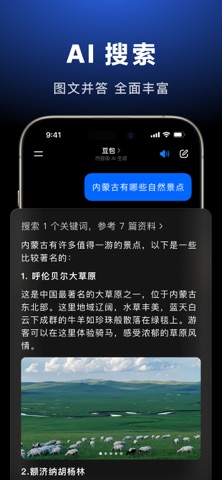
These App Store previews show the app in general. Use the steps above for the specific controls to look for.
Get the app
Doubao on the App Store ↗Sources and review
Checked 12 November 2026. Older references are labelled; current in-app terms apply. Community images illustrate an earlier interface, not verified current controls.
- Doubao: official account terms (effective 17 Sep 2026)
- Doubao: product introduction and limitations · publication date not stated
Questions & travel tips
Share what worked, or ask about this guide. Comments appear after review.