How to use Trip.com in China

An English-language booking option. Use the same passport details throughout your bookings.
携程国际版 · Booking · Content reviewed 12 November 2026
Before you start
- Use the travel document you will carry, for every traveller.
- Have an accessible email, payment method and enough flexibility if a train request cannot be fulfilled.
Step-by-step guide
Choose the right product
Choose Hotels or Trains. Set the city or stations, dates and traveller count. Check the local date carefully.
Look for: Hotels / Trains
Check the exact location
For a hotel, compare the map, Chinese address and room conditions. For a train, check the full station name—one city can have several stations.
Look for: Location / Stations
Enter passport details
Copy each traveller’s name and passport number carefully. Review room occupancy or seat class before continuing.
Look for: Traveller details
Review the full price
Check the final currency, cancellation terms and any optional extras. Remove services you do not want before paying.
Look for: Review booking
Wait for confirmation
Check that the hotel is confirmed or the train ticket has been issued. A submitted request is not the same as an issued ticket. Save the Chinese address and booking details.
Look for: Bookings
Tips and common problems
Trip.com and Ctrip are different entry points
Use the linked Trip.com international listing (ID 681752345) for this guide. Do not assume a Ctrip/Xiecheng screenshot has the same menus, currency or support flow.
Pre-booked does not mean issued
A request made before tickets are available is not a confirmed seat. Check the status and what happens if issuance fails before making a rigid onward plan.
Checkout total is higher than the fare
Inspect service fees, optional packages, insurance, class, currency and cancellation terms. Decide based on the total, not just the search price.
Hotel pin or dates look right at first glance
Check the Chinese branch address, local check-in date, occupancy and late-arrival contact. A midnight arrival can require the previous night’s reservation. Confirm your timing with the hotel.
Charged but no confirmation
Check Bookings and email for the exact order. Contact Trip.com support from that order with the reference; avoid creating a duplicate while status is unclear.
Screenshot references
These App Store previews show the app in general. Use the steps above for the specific controls to look for.

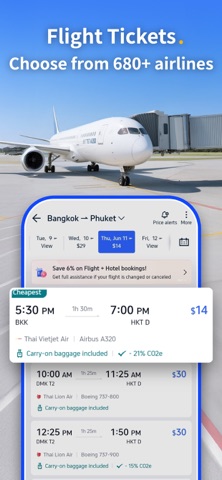

Get the app
Trip.com on the App Store ↗Sources and review
Checked 12 November 2026. Older references are labelled; current in-app terms apply. Community images illustrate an earlier interface, not verified current controls.
- Trip.com official app listing · publication date not stated
- China Railway: ticketing FAQ · publication date not stated
- Traveller discussion: verification, pickup and delivery problems (individual experiences, not platform rules)
- Trip.com: booking fee breakdown (2026; commercial platform guidance)
Questions & travel tips
Share what worked, or ask about this guide. Comments appear after review.