How to use Baidu Translate in China
Offers text, camera and voice translation. Check the languages and network requirements for the function you plan to use.
百度翻译 · Translation · Content reviewed 12 November 2026
Before you start
- Test text, camera and voice functions you intend to use.
- Have a second way to show a saved Chinese phrase if login, network or a paid feature blocks you.
Step-by-step guide
Set your language pair
Choose Chinese as the source and your language as the destination. Reverse the pair when you need to speak or write to someone.
Look for: Chinese → Your language
Photograph the useful text
Choose the camera option and frame the menu or sign clearly. Avoid glare and retake blurry text.
Look for: Camera translation
Check key details
Compare prices, names and quantities with the original. Save or copy a short translated phrase when needed.
Look for: Translation result
Use short spoken sentences
Open voice or conversation translation. Speak one clear sentence at a time and let the other person read the result.
Look for: Voice / Conversation
Tips and common problems
This looks like an English-learning app
The same official listing also promotes learning features. Look for 翻译 (translation), 拍照 (photo) or 语音 (voice); you do not need a study course just to communicate.
Photo result omits part of the menu
Retake a close, sharp image of one section. Compare the original prices and portion sizes; decorative text and glare can confuse recognition.
A screen asks you to subscribe
Check the specific feature and price. Use an available basic function or your prepared alternative instead of assuming every translation feature is free.
Offline is not established by having the app
Test the exact function in airplane mode before departure. If it fails, keep a downloaded translator or phrase image as the offline backup.
Screenshot references
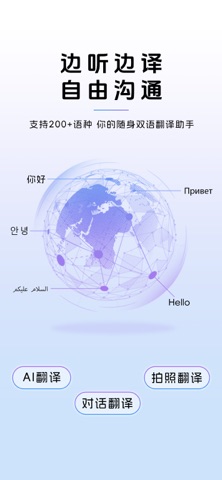
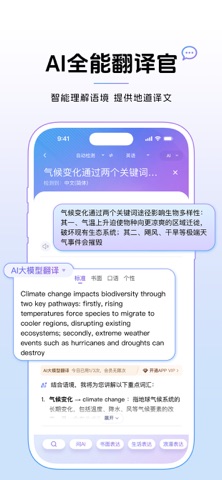
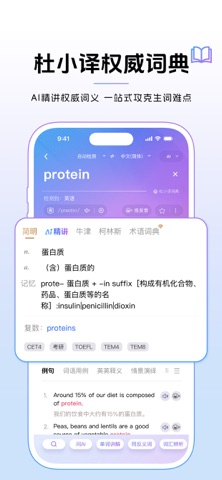
These App Store previews show the app in general. Use the steps above for the specific controls to look for.
Get the app
Baidu Translate on the App Store ↗Sources and review
Checked 12 November 2026. Older references are labelled; current in-app terms apply. Community images illustrate an earlier interface, not verified current controls.
- Baidu Translate official listing: translation and learning features · publication date not stated
- CNA: travellers describe language and app-store barriers (2026 reporting)
Questions & travel tips
Share what worked, or ask about this guide. Comments appear after review.