How to use DiDi in China

A dedicated ride-booking option. You can also look for the DiDi service inside Alipay instead of installing another app.
滴滴 · Transport · Content reviewed 12 November 2026
Before you start
- Register with a number that can receive SMS; test the offered payment method.
- Save the exact Chinese destination and keep enough data/battery to find the car.
Step-by-step guide
Choose a working booking route
Open the China app linked below or DiDi within your wallet if offered. Complete signup and check the available payment method before relying on it at the airport.
Look for: DiDi China / 滴滴
Set destination and pickup separately
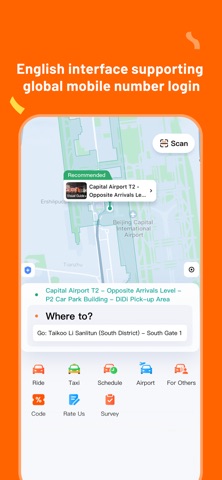
Paste the Chinese hotel address. Verify its branch, then set the actual pickup point. At an airport, check terminal, floor and designated zone.
Look for: Destination + Pickup
Request one suitable ride
Check vehicle type, passenger/luggage capacity and the fare information. Confirm the order and watch its status.
Look for: Confirm / Trip status
Find and verify your car
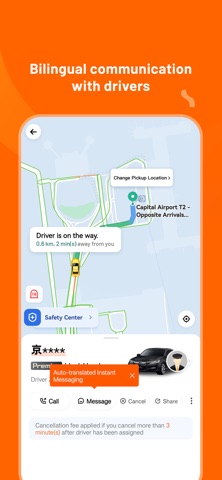
Use booking messages to resolve the location. Compare the licence plate and vehicle before boarding. Keep the app until the trip and payment are complete.
Look for: Car details / Messages
Tips and common problems
Wrong DiDi app or region?
The listing here is DiDi China (App Store ID 554499054). Another regional DiDi app may serve a different market. Check that it offers your Chinese city before departure.
Airport pin is not the arrivals door
Read the booking’s pickup instructions and terminal/floor/zone. Follow ride-hailing signs and compare the actual bay with the app before telling the driver you are there.
Driver cannot call you
Use the booking’s chat where available and send a short location message or pickup-sign photo. Keep it within the trip; a data-only SIM does not give you a callable number.
Several cars requested accidentally?
Check whether multiple service types or orders are active. Review cancellation terms in the current booking before requesting another vehicle.
A different driver offers a ride
Match the booked licence plate and car. If they do not match, stay out of the car and use in-app help or the airport service desk.
Screenshot references
These App Store previews show the app in general. Use the steps above for the specific controls to look for.

Get the app
DiDi on the App Store ↗Sources and review
Checked 12 November 2026. Older references are labelled; current in-app terms apply. Community images illustrate an earlier interface, not verified current controls.
- China Ministry of Commerce: transport and overseas-number setup · publication date not stated
- Trip.com practical guide: SMS and data-only SIM pitfalls (23 Oct 2026; commercial travel advice)
- Traveller discussion: verification, pickup and delivery problems (individual experiences, not platform rules)
Questions & travel tips
Share what worked, or ask about this guide. Comments appear after review.